There is no need to stress! e-PayDay Go Award-centric payroll software ensures you effortlessly comply with Payday Super requirements and the Fair Work Voluntary Wage Compliance Code.
Payroll and HR Software for Australian Businesses

Manage payroll and employee information with e-PayDay Go®, connected to ClockMeIn® time and attendance.
Employee information should be easy to find. Preferably before you have opened seventeen tabs looking for it.
e-PayDay Go® combines payroll with e-Personnel™, its built-in Human Resource Information System (HRIS). The Payee Master File brings employee information and payroll details together, with emergency contacts and employee notes included at both Essential and Advanced levels.
Choose the Advanced Level to add employee document storage and reminders. Together with e-Time™ time and attendance, these connected features help you manage employee information and payroll tasks as your business grows.
Employee Records Connected to Your Payroll
The Payee Master File is the central employee record within e-PayDay Go®. It brings together the information used for payroll processing, including tax treatment, superannuation details, leave balances and year-to-date balances.
With e-Personnel™, you can also maintain emergency contacts and employee notes within that record. The Advanced Level adds document storage and reminders, keeping supporting information close to the payroll details it relates to.
Each payee has a single master file. If their tax treatment changes, you can update their existing record without adding them to payroll again.
These connected records form part of our broader payroll software, helping you manage employee information as your business grows.
Employee Document Storage
Keep employee documents with the employee record they belong to. With the Advanced Level of e-PayDay Go®, e-Personnel™ lets you upload documents and images directly to the Payee Master File.
Centralising these files makes supporting information easier to find when managing employee records or answering payroll queries.
-
Upload most document file types and images.
-
Keep supporting documents alongside the relevant employee’s payroll information.
-
Store files on secure servers located in Australia.
View our plans and pricing to choose the features your business needs.

Keep supporting documents with the relevant employee record so information is easier to find when managing payroll queries.


Keep emergency contact details with each employee’s record so you can find the right person to contact when needed
Emergency Contacts Within Easy Reach
When an emergency involves an employee, you need to find the right contact quickly. e-Personnel™ keeps emergency contact details within the Payee Master File, alongside the employee’s other information.
-
Add unlimited emergency contacts for each employee.
-
Select each contact’s relationship to the employee from 21 available relationship options.
-
Keep contact details together so they are easy to find when needed.
Emergency contacts are included at both Essential and Advanced levels.
Employee Notes and Employment History
Keep useful context with the employee record. e-Personnel™ lets you add notes and comments directly to the Payee Master File, helping you record employment-related information and refer back to earlier discussions or decisions.
-
Maintain unlimited notes and comments for each employee.
-
Sort entries by date and time, with the newest or oldest first.
-
Keep supporting context alongside the employee’s payroll information for future reference.
Employee notes and comments are included at both Essential and Advanced levels.

Keep employment-related notes with each employee’s record so earlier information is easier to find and review

Record employee-related payroll tasks as reminders so they are available for review.

Colour-coded reminders on the Payroll Tools Dashboard help you identify upcoming, due and overdue tasks.
Payroll Reminders and the Payroll Tools Dashboard
Give important payroll tasks a place on your Payroll Tools Dashboard, rather than relying on memory alone. With the Advanced Level of e-PayDay Go®, you can create reminders within the Payee Master File and review their status from the dashboard.
See What Is Upcoming, Due or Overdue
Colour-coded reminders help you identify which tasks need attention:
-
Black: the reminder is scheduled for a future date.
-
Orange: the reminder is due today.
-
Red: the reminder is overdue.
You can mark reminders as complete when tasks are finished and delete reminders separately when they are no longer needed.
Monitor Contributions with the Payday Super Status Widget
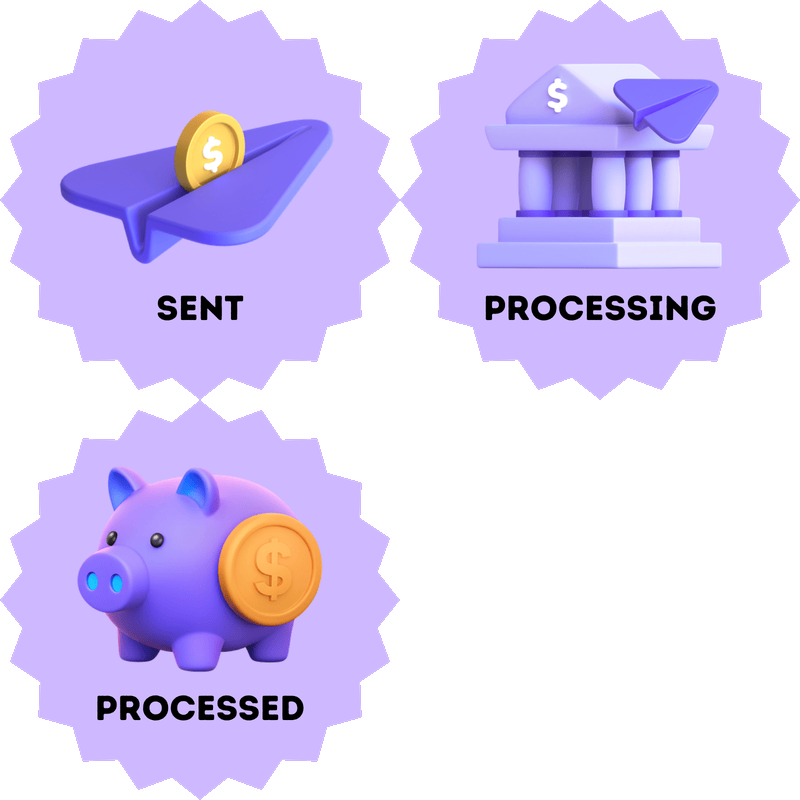
Keep superannuation processing in view alongside your employee-related tasks. The Payday Super Status widget on the Payroll Tools Dashboard provides a visual overview of available processing information for recent superannuation contributions.
Use it to monitor contribution progress, identify unsuccessful payments and investigate issues requiring follow-up.
A successful submission does not by itself confirm receipt by the employee’s superannuation fund.
Explore our Payday Super contribution management features for more information.
Monitor available superannuation contribution processing information and identify payments requiring follow-up.
Keep employment-related notes with each employee’s record so earlier information is easier to find and review
Remember Employee Birthdays and Work Anniversaries
Payroll records capture important dates. The Payroll Tools Dashboard helps you put those dates to a more personal use, keeping upcoming employee birthdays and work anniversaries in view.
Employee Birthdays
The Birthdays widget displays employees with birthdays in the coming three calendar months, helping you plan a greeting or team celebration.
Work Anniversaries
The Work Anniversaries widget uses employees’ commencement dates to highlight work anniversaries over the coming three calendar months. Use it to help recognise their service and contribution to your business.
Understand Employee Morale with Mood-a-Rater®
Employee records tell part of the story. How your employees feel at work matters too.
Mood-a-Rater® is an optional employee feedback feature within ClockMeIn®. It lets employees share anonymous morale ratings, helping employers understand workplace sentiment and identify changes over time.
-
Anonymous employee feedback: give employees a way to express how they feel at work.
-
Customisable rating labels: tailor the lowest and highest rating descriptions to suit your workplace.
-
Weekly dashboard updates: review morale trends to help inform conversations and workplace improvements.
-
Optional activation: choose whether the rating feature appears on the ClockMeIn® Home page.
Explore how Mood-a-Rater® supports employee feedback and workplace morale.

Employees can share how they feel at work using the Mood-a-Rater® rating options in ClockMeIn®.

Choose whether Mood-a-Rater® appears in ClockMeIn® and customise the lowest and highest rating labels.

Weekly Mood-a-Rater® results help employers review changes in employee morale across the financial year.
Connect Employee Records, Time and Attendance, and Payroll
Employee information, hours worked and payroll belong together. e-PayDay Go® brings e-Personnel™ employee records, e-Time™ time and attendance and payroll processing into one connected system.
Each component supports a different part of your workflow:
-
e-Personnel™: maintain employee information, emergency contacts and notes, with document storage and reminders available at the Advanced Level.
-
e-Time™: record and manage time and attendance information used for payroll.
-
Payroll processing: use employee details and applicable pay information to calculate payments and produce payroll records.
Together, these features help you keep related information connected as your workforce grows. Explore our time and attendance features or view the broader payroll software capabilities.
Choose the Payroll and HR Features Your Business Needs
Choose your feature level around the employee information and tasks you need to manage.
Your employee count and required features help determine the appropriate plan. As your workforce or requirements change, you can move to a plan that suits your business.
-
Essential Level: maintain employee records, emergency contacts, and unlimited employee notes and comments.
-
Advanced Level: add employee document storage and reminders displayed on the Payroll Tools Dashboard.
Compare our plans and pricing to find the right combination.
Frequently Asked Questions About Payroll and HR Software
See e-PayDay Go® Payroll and HR Software in Action
See how employee records, time and attendance, payroll and the Payroll Tools Dashboard work together in e-PayDay Go®.
Book a demonstration with our Australian-based team to explore the features relevant to your business, understand Essential and Advanced options, and ask questions about your requirements.